Health & Fitness tracking
Services that offer health/fitness plans and tracking capabilities to users.
 Strava
 Home Workout
 Sweatcoin
 Fitness+
Creating an ecosystem that helps users to connect with Philips devices instantly, enhance device usage with personalised settings and discover contents that empower, inform and inspire.
Established an ecosystem that helps users to connect with Philips devices instantly, enhance device usage with personalised settings and discover contents that empower, inform and inspire.
Established an ecosystem that helps users to connect with Philips devices instantly, enhance device usage with personalised settings and discover contents that empower, inform and inspire.


I led the end-to-end design of Philips’ Daily Care app across iOS and Android, defining the design direction, establishing the design system, creating team rituals, delivering the product and scaling the design team.
Strategy, Discovery Research, UX/ UI Design, Testing, Delivery
Product Manager, Product Owner, Architects, Android & iOS developers, QA, Data Scientist, Researchers
Oct. 2020 - Oct.2022
Worked with 87 users in 2 countries to understand their feedback with connected and personal care related apps, here are some of the most popular services:
Services that offer health/fitness plans and tracking capabilities to users.
StravaHome WorkoutSweatcoinFitness+Services that offer health/fitness plans and tracking capabilities to users.
 Honeywell
 Home Connect
 Mi Home
 Google Home
Services that offer wellbeing, personal care and mental wellness services to the users
 Noom
Noom Calm
Calm Mind Doc
 Sleep Cycle
Services that offer wellbeing, personal care and mental wellness services to the users
 Health Mate
 SamsungHealth
 Fitbit
 Apple Health
Services that offer health/fitness plans and tracking capabilities to users.

Services that offer health/fitness plans and tracking capabilities to users.

Services that offer wellbeing, personal care and mental wellness services to the users

Services that offer wellbeing, personal care and mental wellness services to the users

Identified 4 user needs from the key takeaways in ethnographic research:
30% of Philips users have more than 2 Philips devices, in the meantime, users have more than 36 apps on their phone, they hope to integrate the app into one.
Users want to see key information and actionable next steps at a glance. Detailed data did not need to be shown at the same time.
Users want their data fed back to them usefully - analysed and interpreted, so they can understand their lifestyles in more depth
Users expect to have a personalised setup for their device and would like to understand the logic of the setting.
30% of Philips users have more than 2 Philips devices, in the meantime, users have more than 36 apps on their phone, they hope to integrate the app into one.
Users want to see key information and actionable next steps at a glance. Detailed data did not need to be shown at the same time.
Users want their data fed back to them usefully - analysed and interpreted, so they can understand their lifestyles in more depth
Users expect to have a personalised setup for their device and would like to understand the logic of the setting.
Philips is known for manufacturing smart devices in the personal care spectrum, each product has its own app. We worked with an external research agency to conduct quantitative research to identify the problem space:
Even with an established product legacy, as the Philips product portfolio evolved, too much functionality was added to each smart device app, and the experience has become difficult for users.
Philips app portfolio is polluted by a number of poorly rated apps that still rank high on the keyword search “Philips”, probably due to their length of time in the app store.
The App Store presence is currently untidy leading to poor ranking and discoverability of some important apps, and also brand dilution.

There was potential to explore new offerings by designing a platform that offered Philips’ various services under one umbrella.

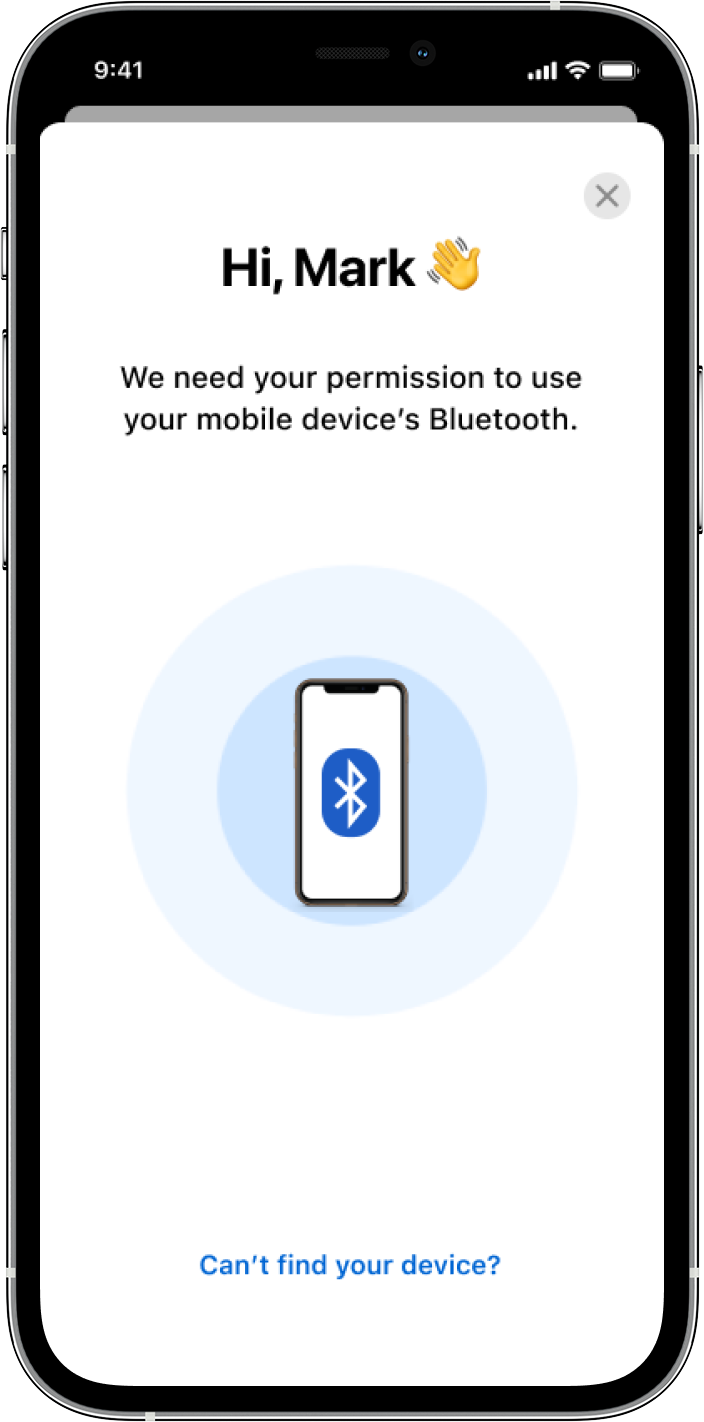
Help users to pair with their Philips device instantly and address potential issues.
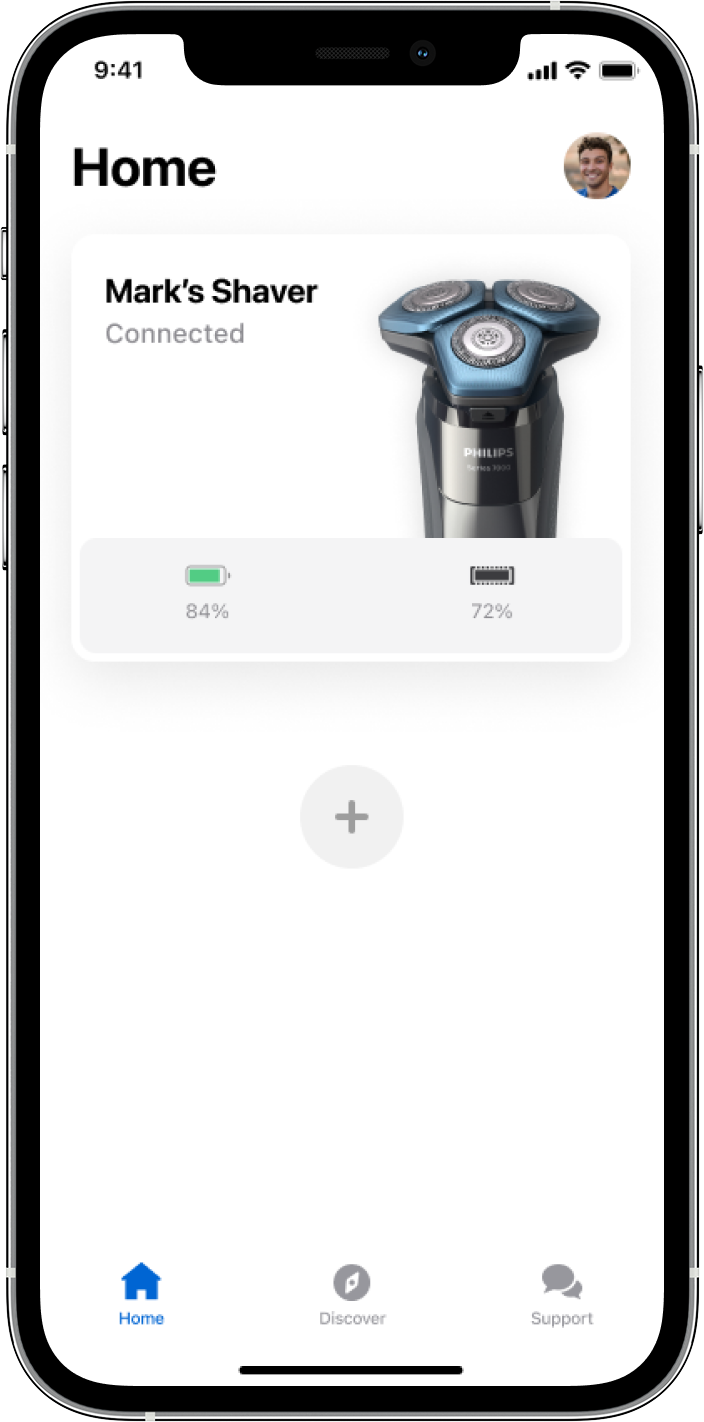
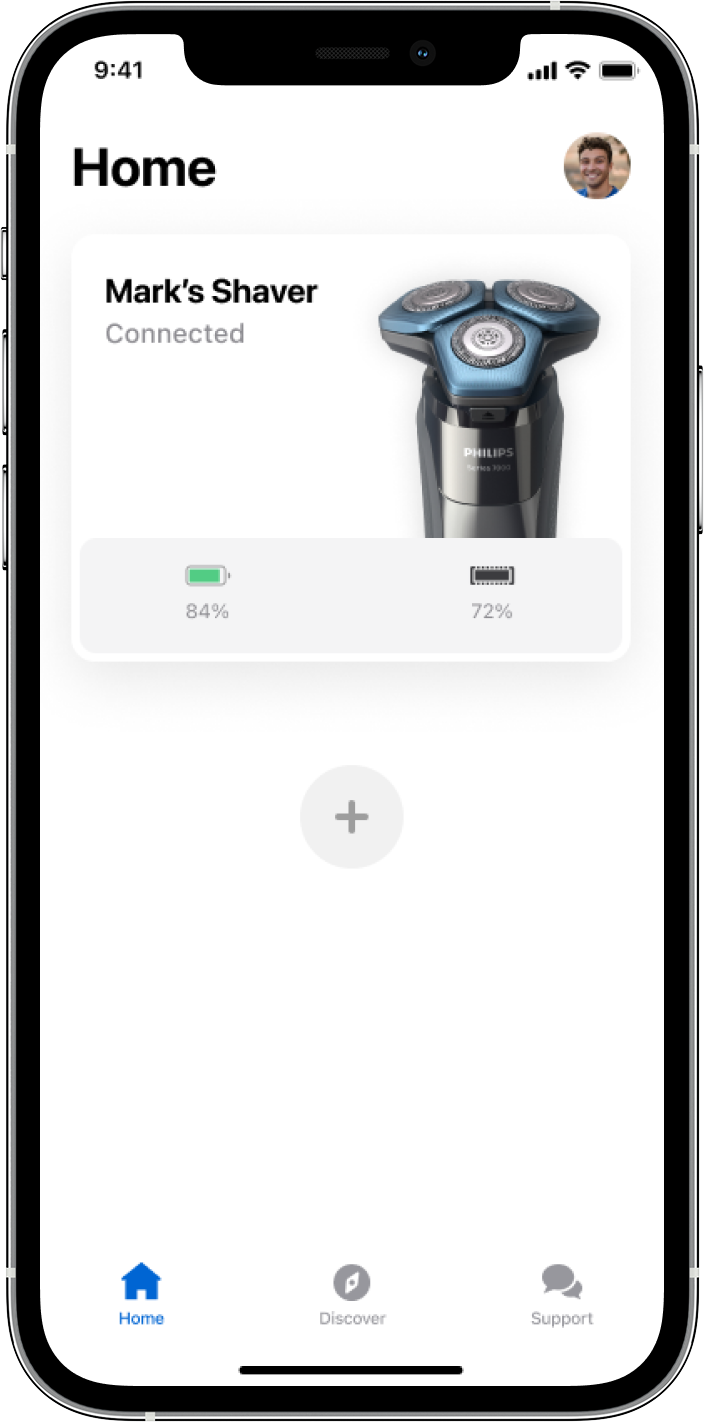
Once paired with their devices, users would be able to understand the key information of their device and explore connected features.
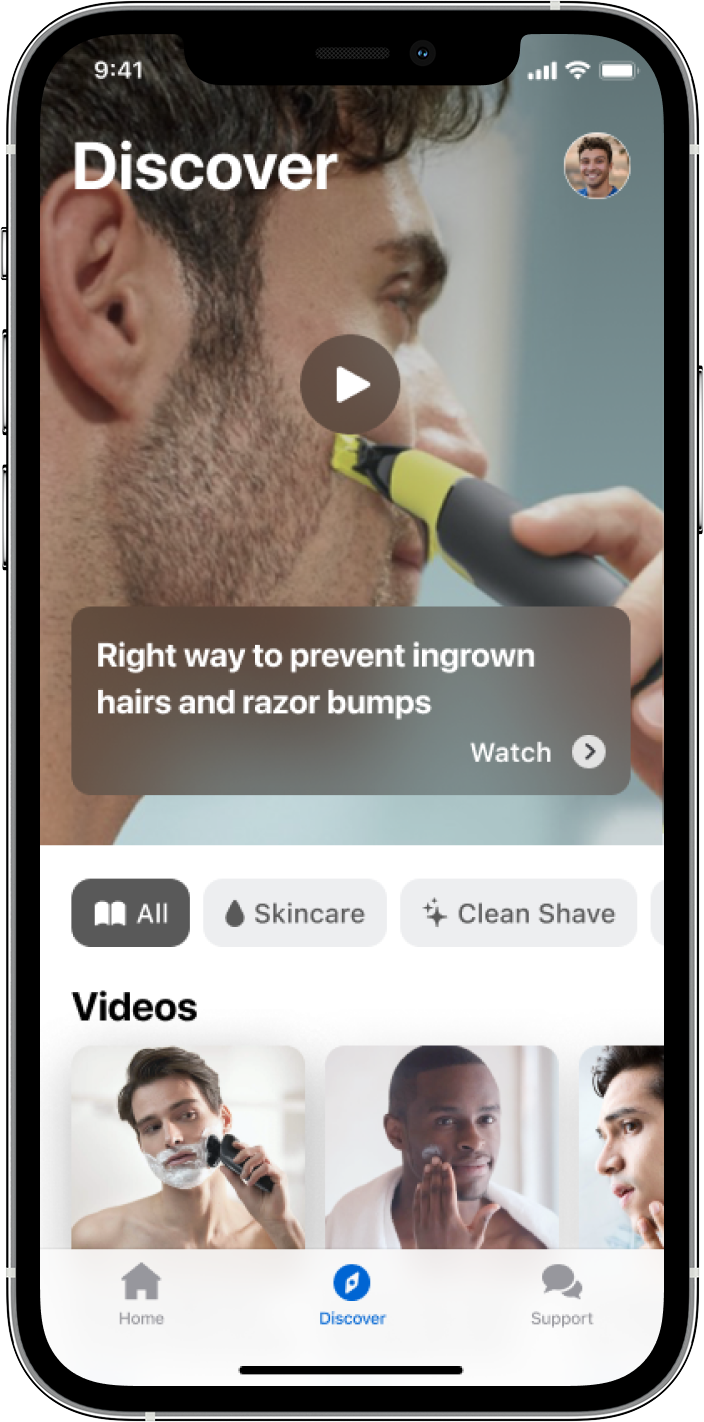
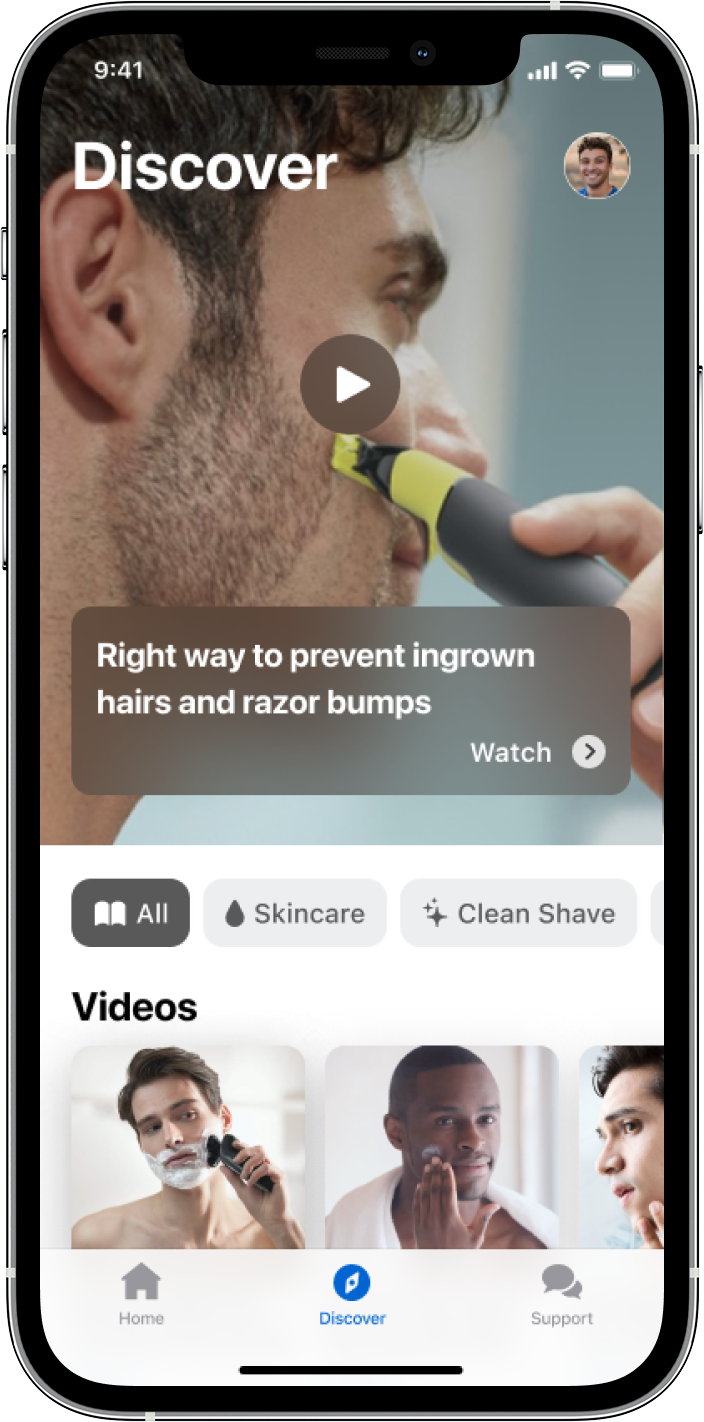
Engage users with inspiring content and instructions associated with their devices.
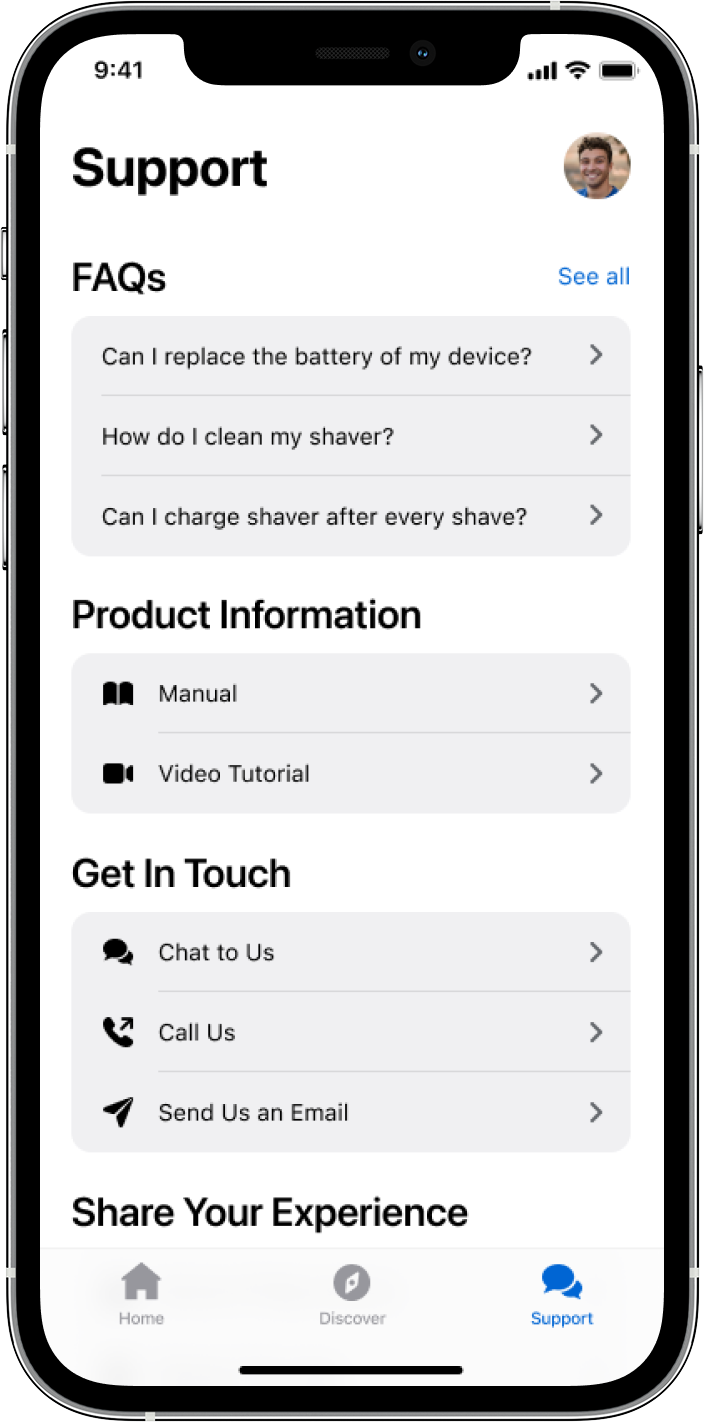
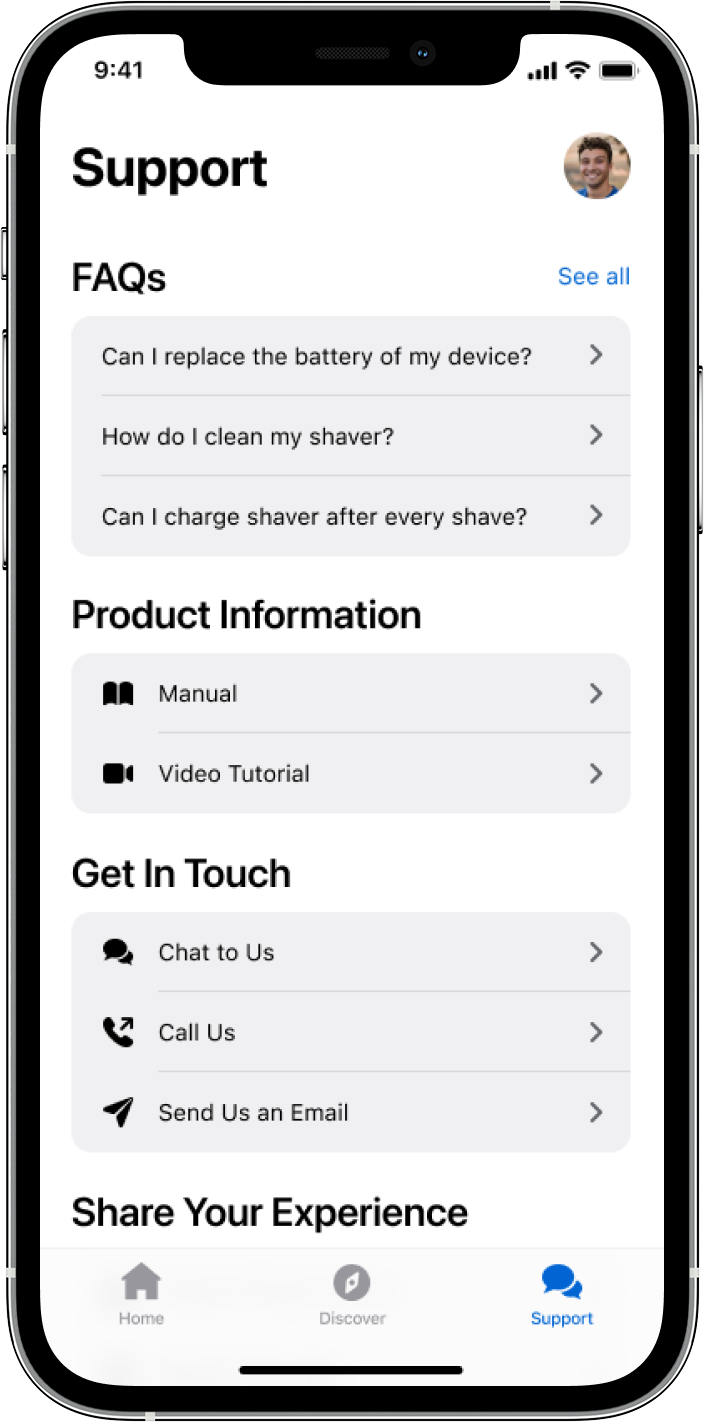
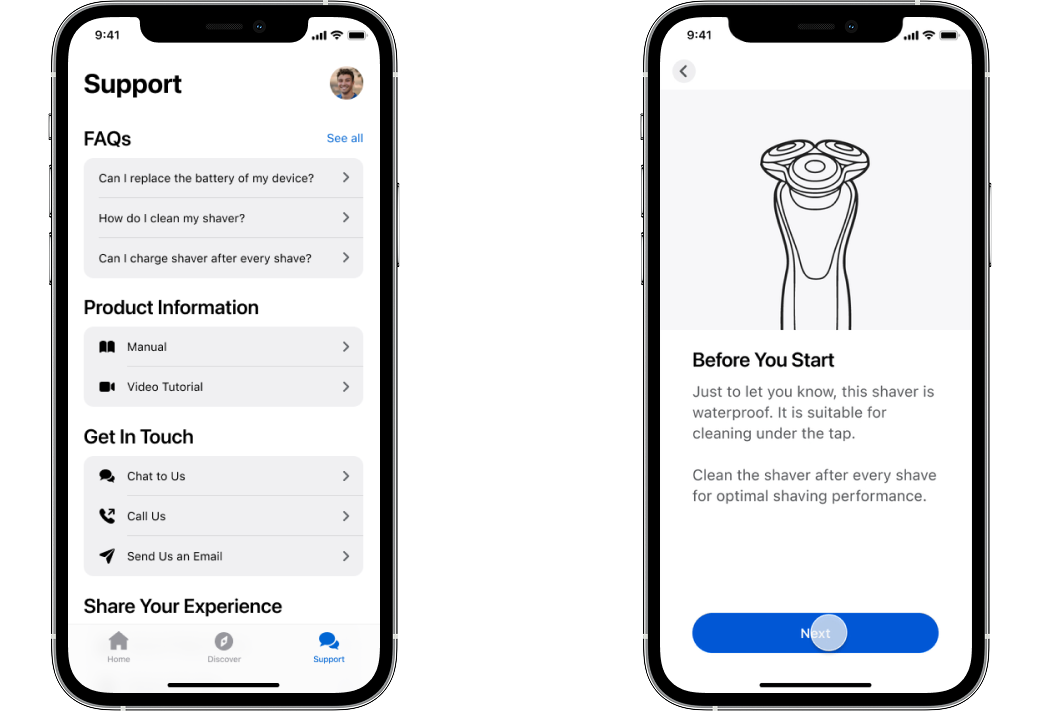
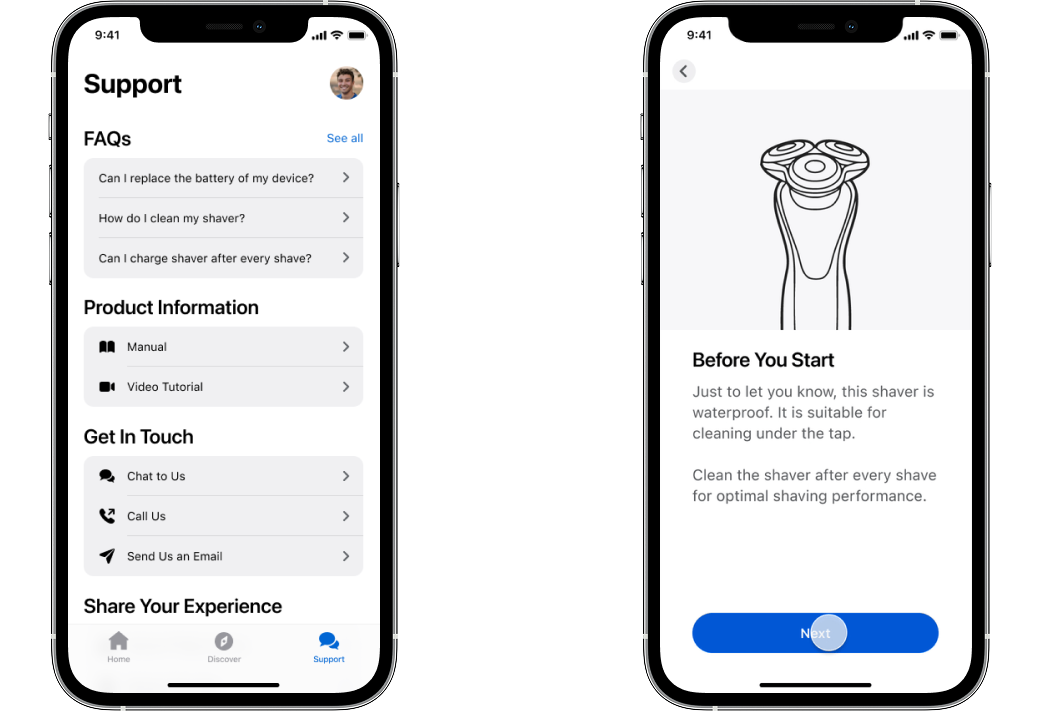
Self-service model to help users resolve issues with FAQs, digital manuals and video tutorials.
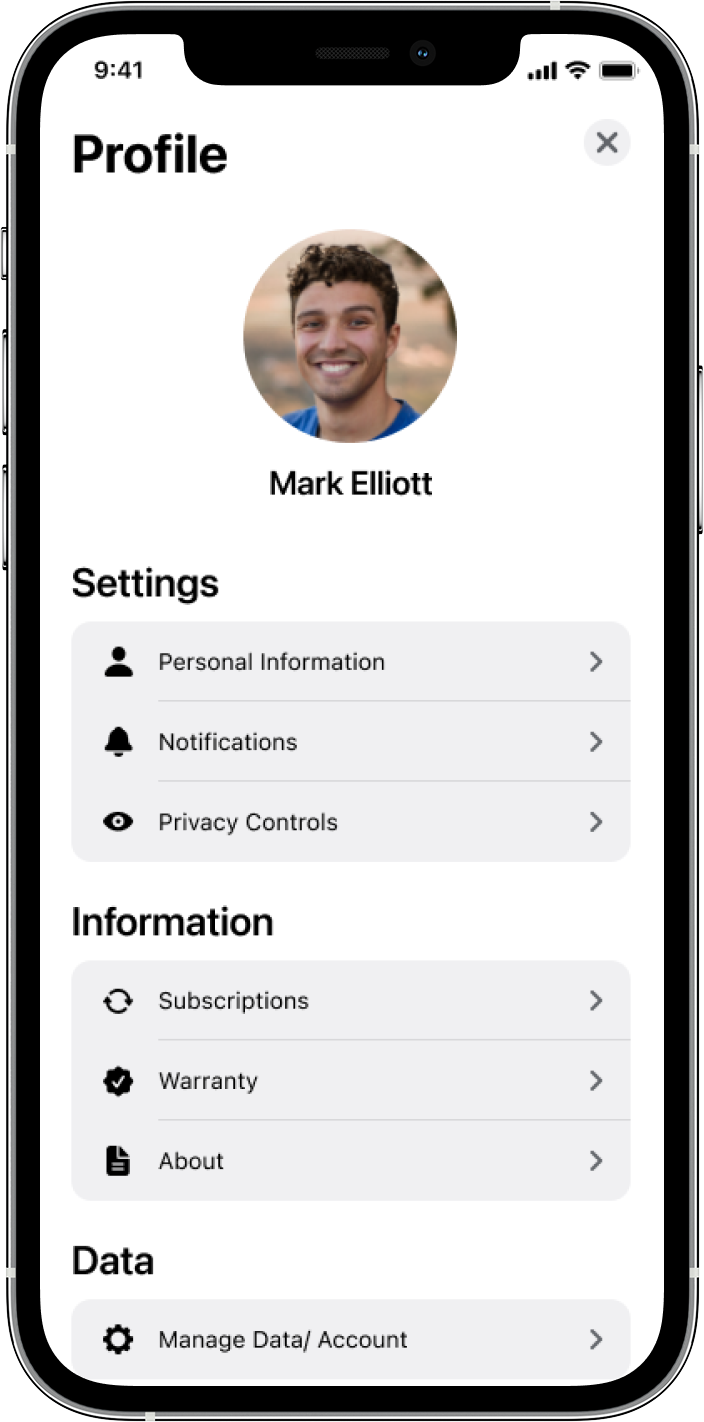
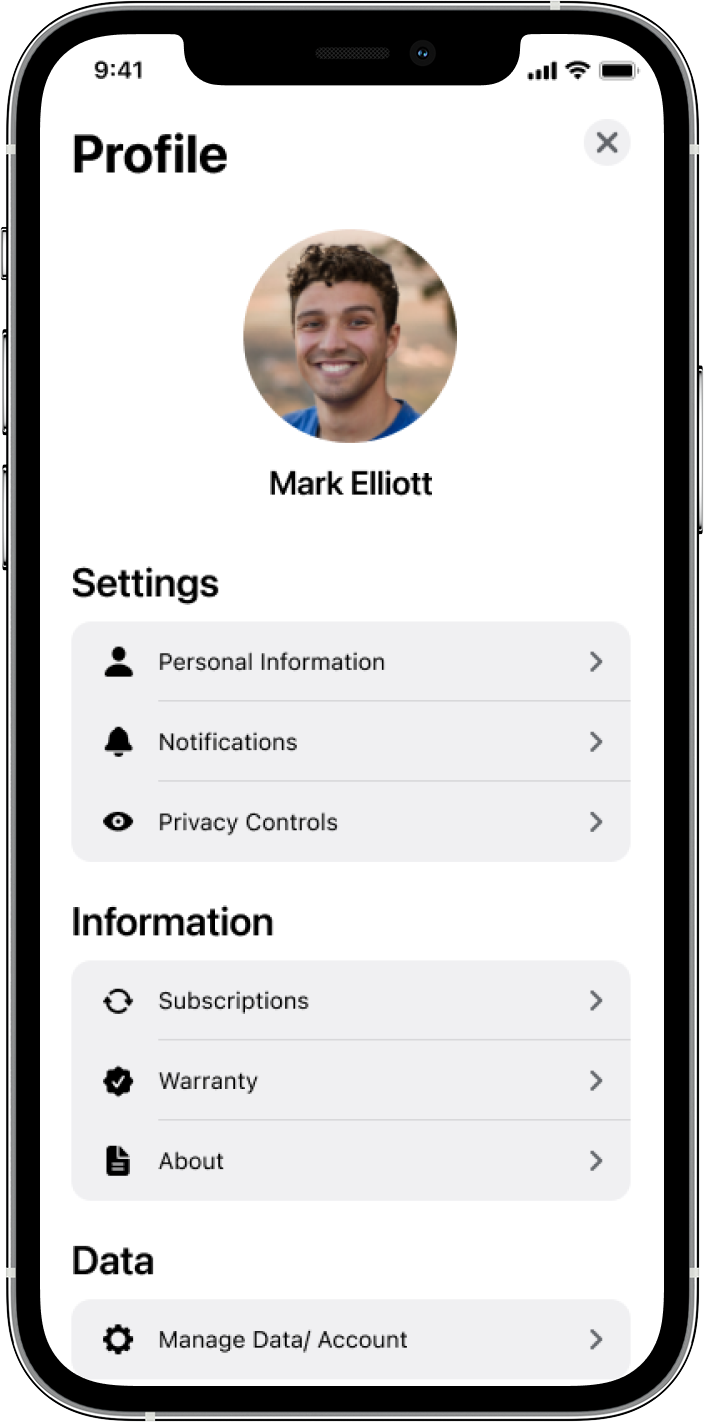
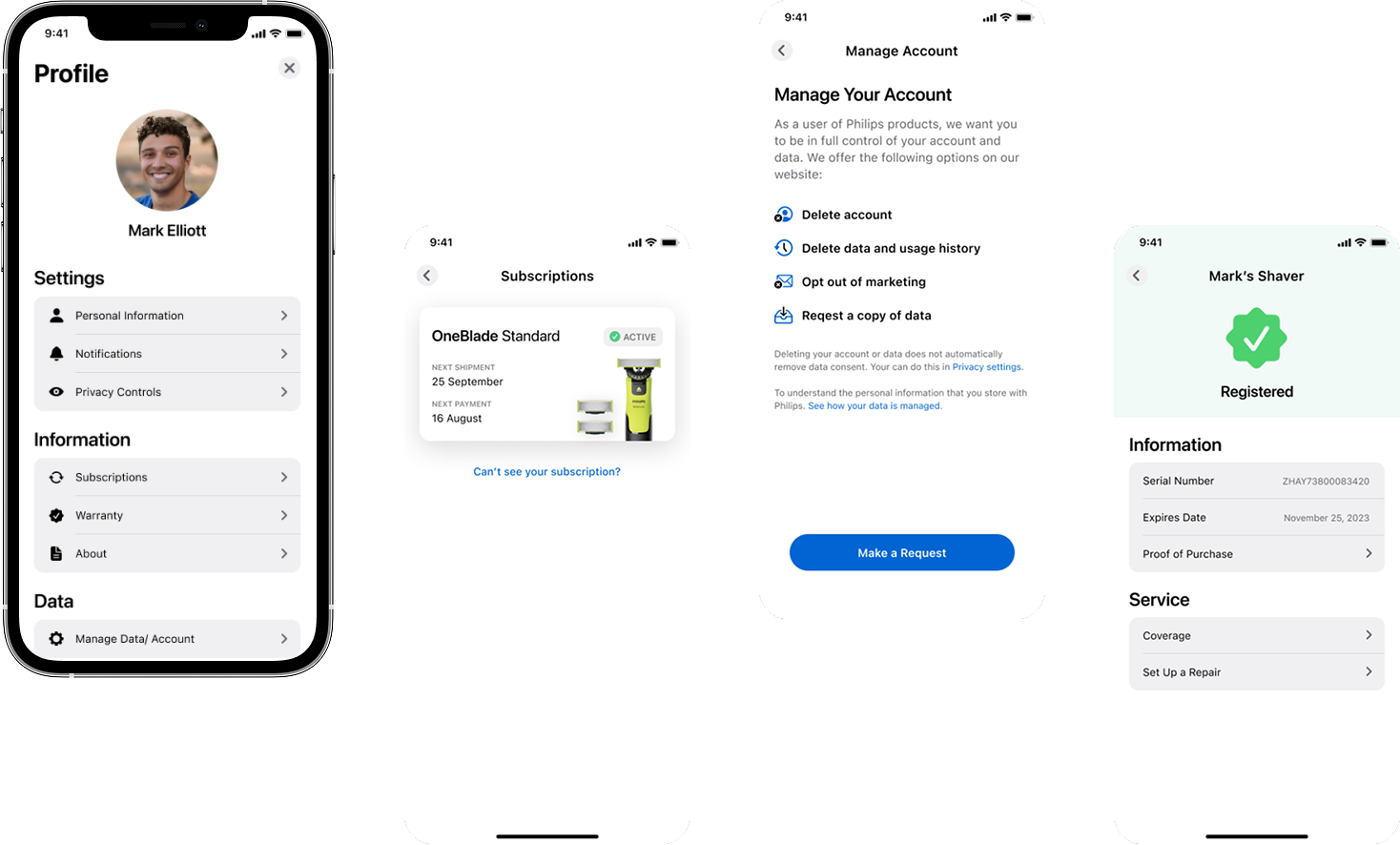
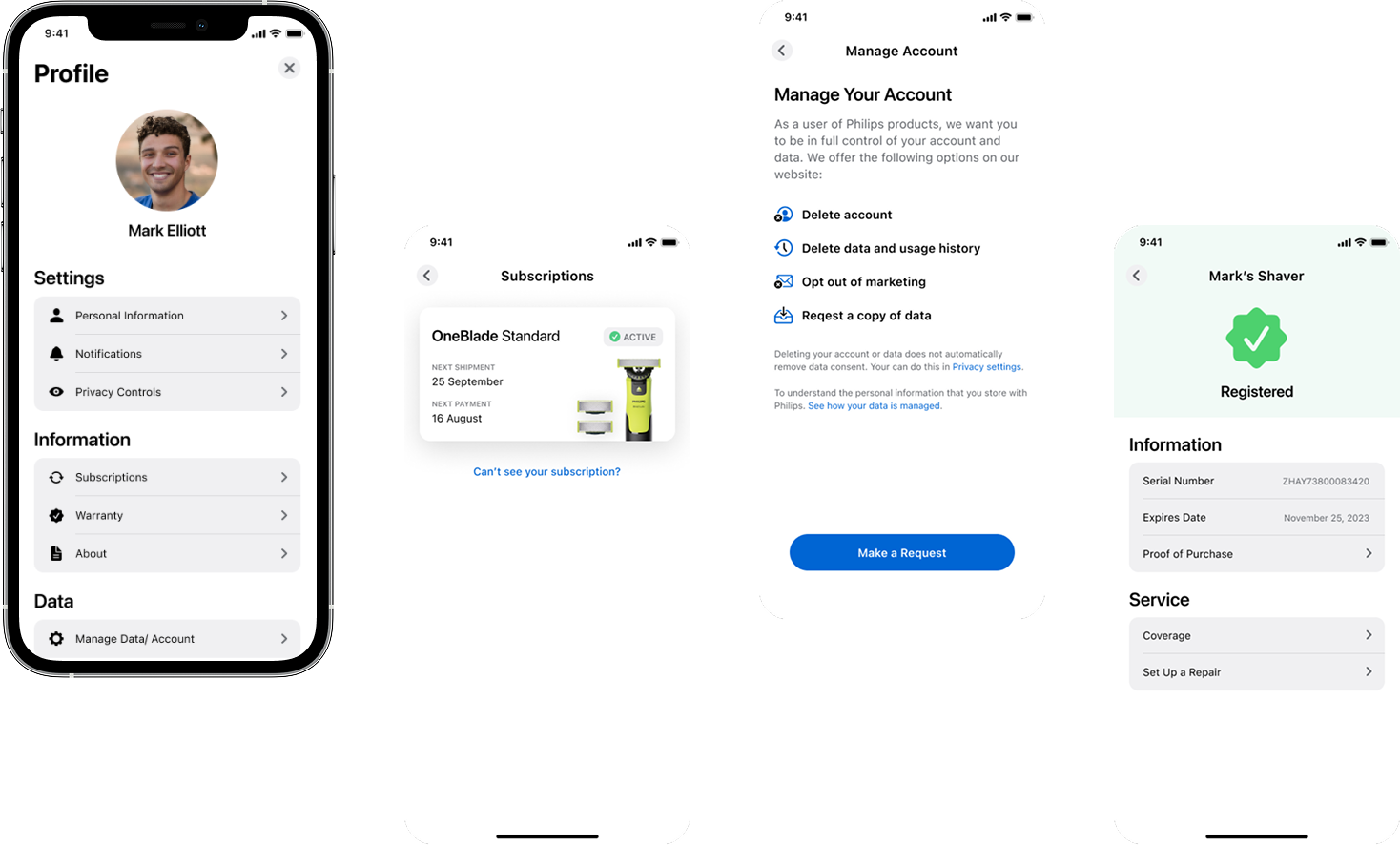
One profile, one place to manage service subscriptions, check product warranty and change account settings.
Created design principles to guide our decision-making process. It helped us justify our design direction, and better inform stakeholders.
Not only show the data, but translate data to help users understand the actions that need to be taken or the implication of it.
Care is deeply personal in daily life. Learn and evolve with users. Let users understand they will be able to take control of their experience.
Design for a diverse set of users, not only for the average user.
Design not only for device usage, but also expand the device experience to help generate wider value to user’s daily life.
Think in systems and widespread context as the design elements need to be plugged into all of Philips’ personal care service.
Think in systems and widespread context as the design elements need to be plugged into all of Philips’ personal care service.
Think in outcomes over output, create features based on data and analysis, that would result in driving actual behavioural change.
Leverage native design elements first to be able to minimise user’s cognitive load and reduce engineering efforts.
Not only show the data, but translate data to help users understand the actions that need to be taken or the implication of it.
Care is deeply personal in daily life. Learn and evolve with users. Let users understand they will be able to take control of their experience.
Design for a diverse set of users, not only for the average user.
Design not only for device usage, but also expand the device experience to help generate wider value to user’s daily life.
Think in systems and widespread context as the design elements need to be plugged into all of Philips’ personal care service.
Think in systems and widespread context as the design elements need to be plugged into all of Philips’ personal care service.
Think in outcomes over output, create features based on data and analysis, that would result in driving actual behavioural change.
Leverage native design elements first to be able to minimise user’s cognitive load and reduce engineering efforts.
To progress this product from 0-1, the key challenge in this project was balancing moving forward with designs, whilst collaborating with wider teams.
As this project would involve a wide spectrum of personal care businesses at Philips, I have worked with product managers to lead 4 key activities to manage stakeholders' expectations and win buy-in & support.
Facilitated collaborative workshop with key stakeholders in wider teams to align product expectation, prioritise tasks, understand risks and ideate service concepts.
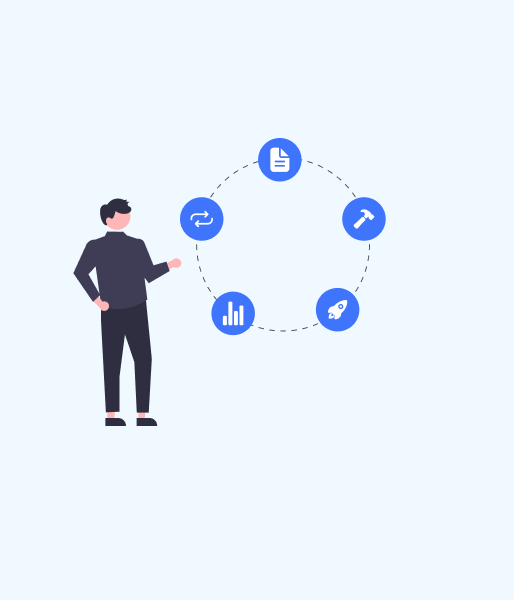
Worked with product manager to iterate and evolve the design & service gradually and present to VP level business leaders every 3 months.
Led weekly design walkthrough event to introduce new ideas through concepts, ideas and prototypes to be able to gather feedback from key stakeholders.

A weekly visual evidence-based stand up that involves all designers associated with this project. This helped all of the participants keep up to date with the latest progress from each team.
Facilitated collaborative workshop with key stakeholders in wider teams to align product expectation, prioritise tasks, understand risks and ideate service concepts.
Worked with product manager to iterate and evolve the design & service gradually and present to VP level business leaders every 3 months.
Led weekly design walkthrough event to introduce new ideas through concepts, ideas and prototypes to be able to gather feedback from key stakeholders.
A weekly visual evidence-based stand up that involves all designers associated with this project. This helped all of the participants keep up to date with the latest progress from each team.
Based on the outcome of user interviews and testing through a series of prototypes. We landed on a tab-based architecture and whittled down the user needs to five main areas.
The Store feature has been descoped from the initial launch, because of API and technical issues.

Understand the information of connected devices and empower the experience.

Understand the information of connected devices and empower the experience.

Self-service model to resolve issues with FAQs, manuals and tutorials.

One place to manage account, notifications, warranty and privacy settings.

Browse, purchase products/ device accessories and track order history
Understand the information of connected devices and empower the experience.
Understand the information of connected devices and empower the experience.
One place to manage account, notifications, warranty and privacy settings.
Self-service model to resolve issues with FAQs, manuals and tutorials.
Browse, purchase products/ device accessories and track order history
I’ve facilitated a workshop with core team members to map out all of the potential features in an information architecture.

Case study details upon request. See below for the current delivery in the app — It might take a second to load the animation in some screens
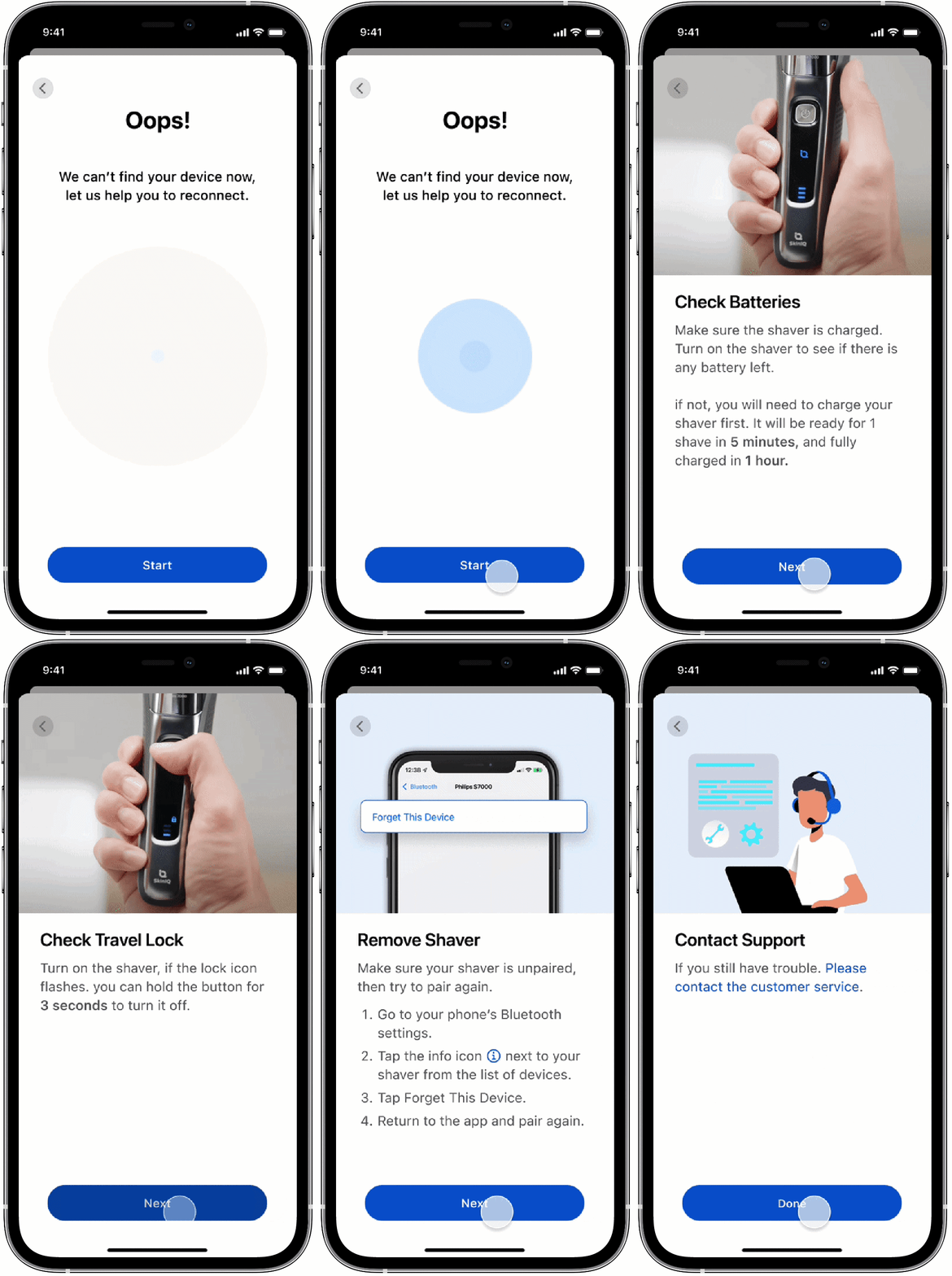
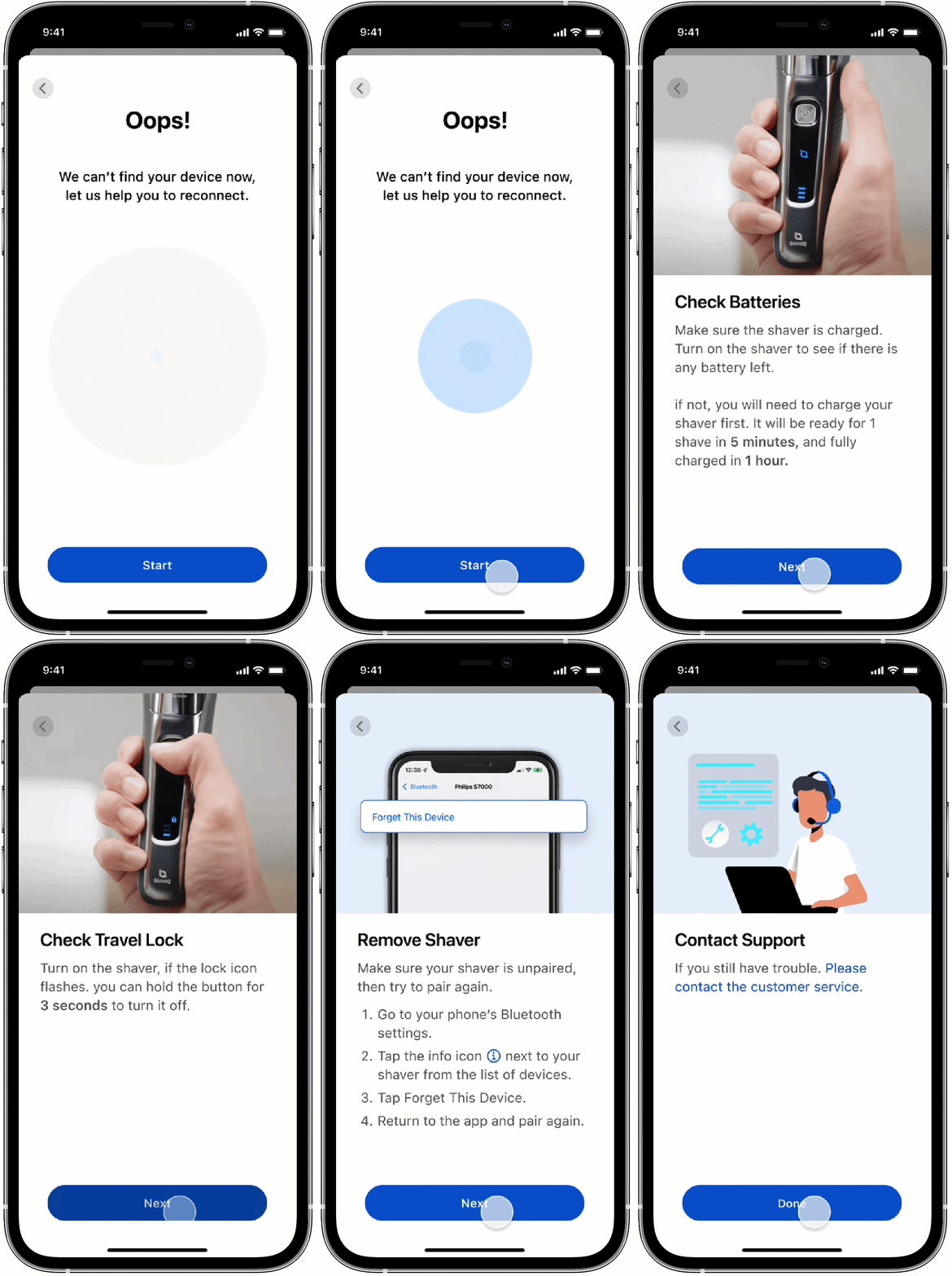
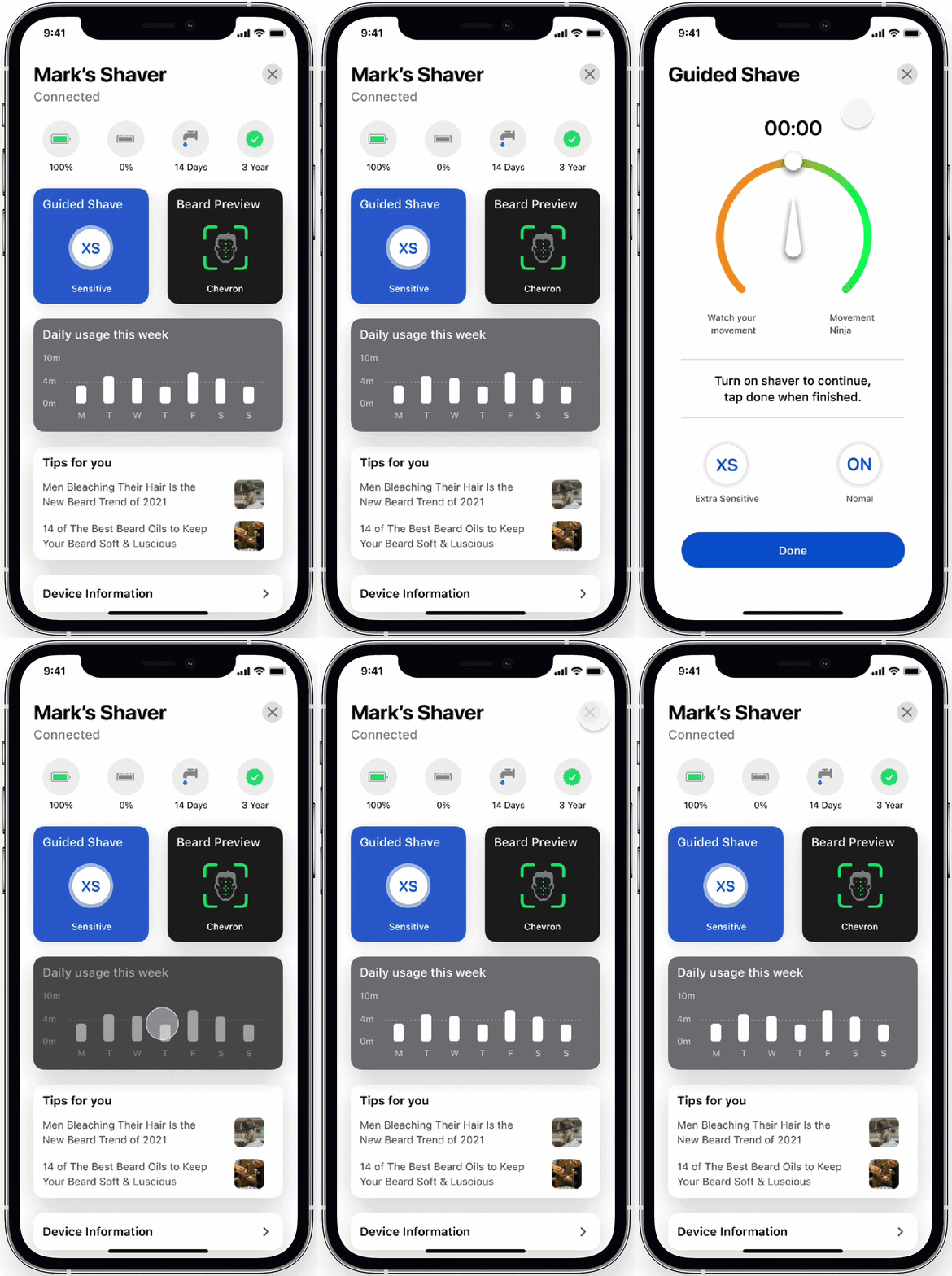
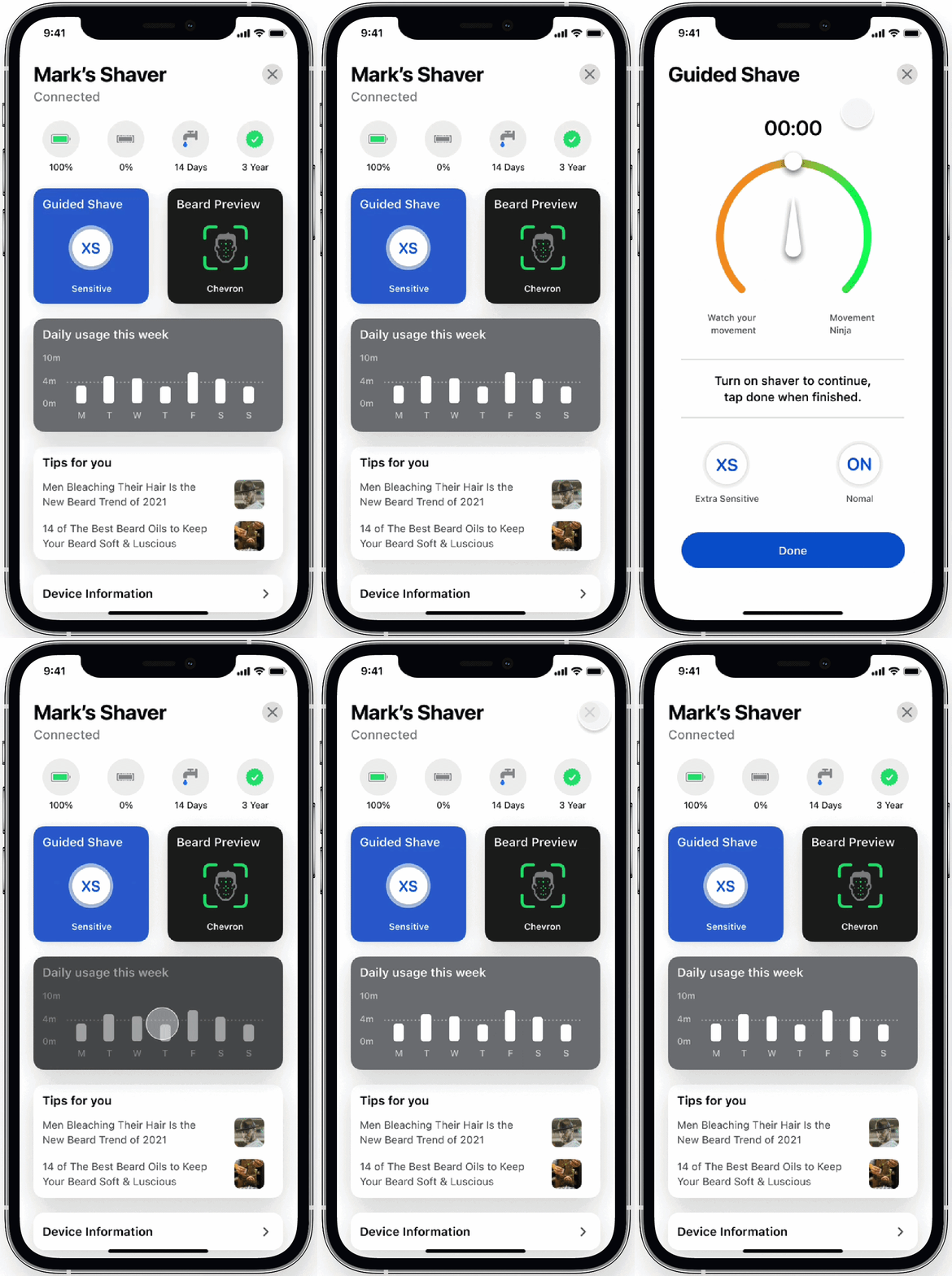
When researching other Philips connected apps with users, they would like to learn more about the logic of settings. When failing to connect with their device, users had a hard time troubleshooting connection issues.
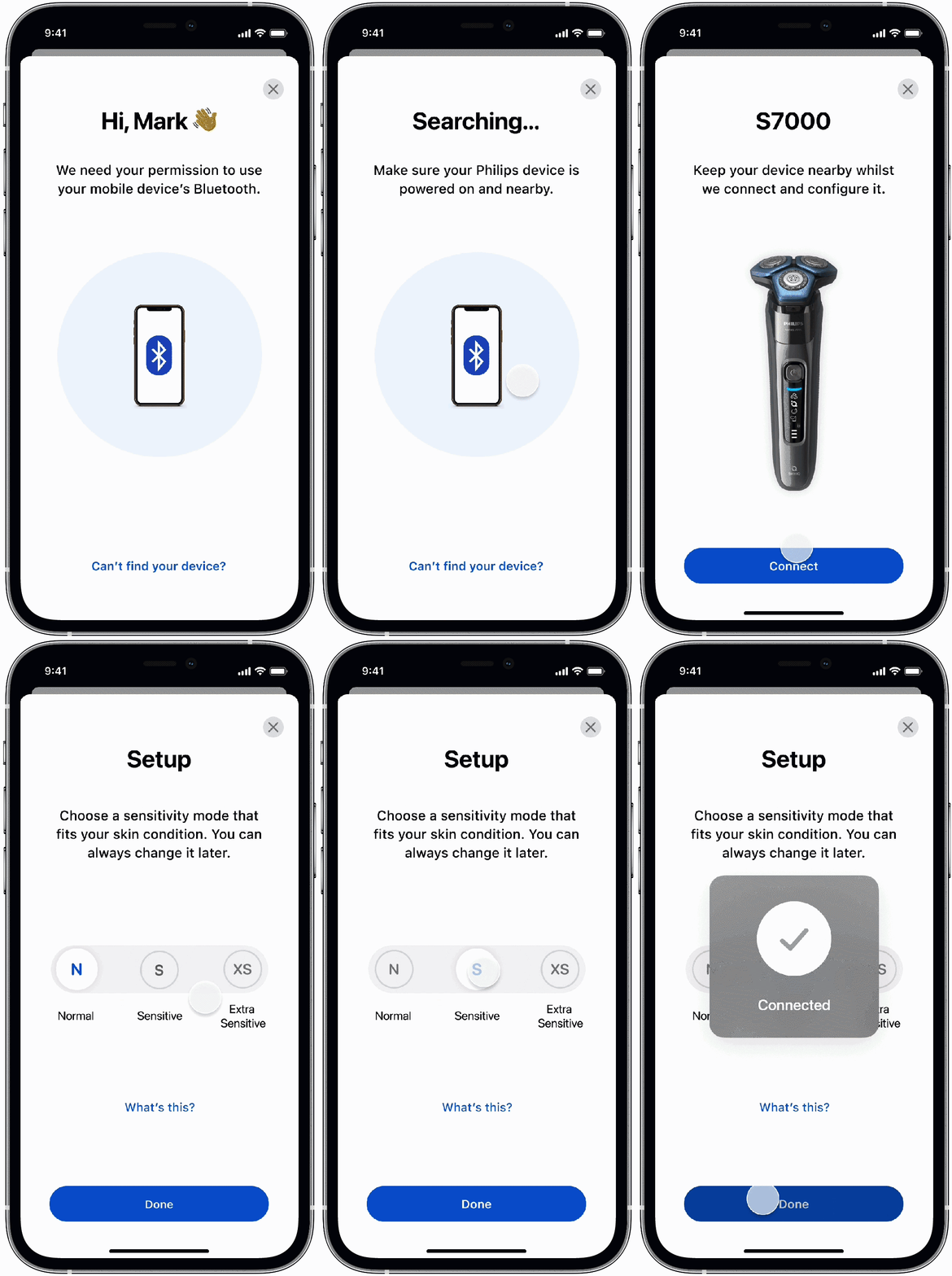
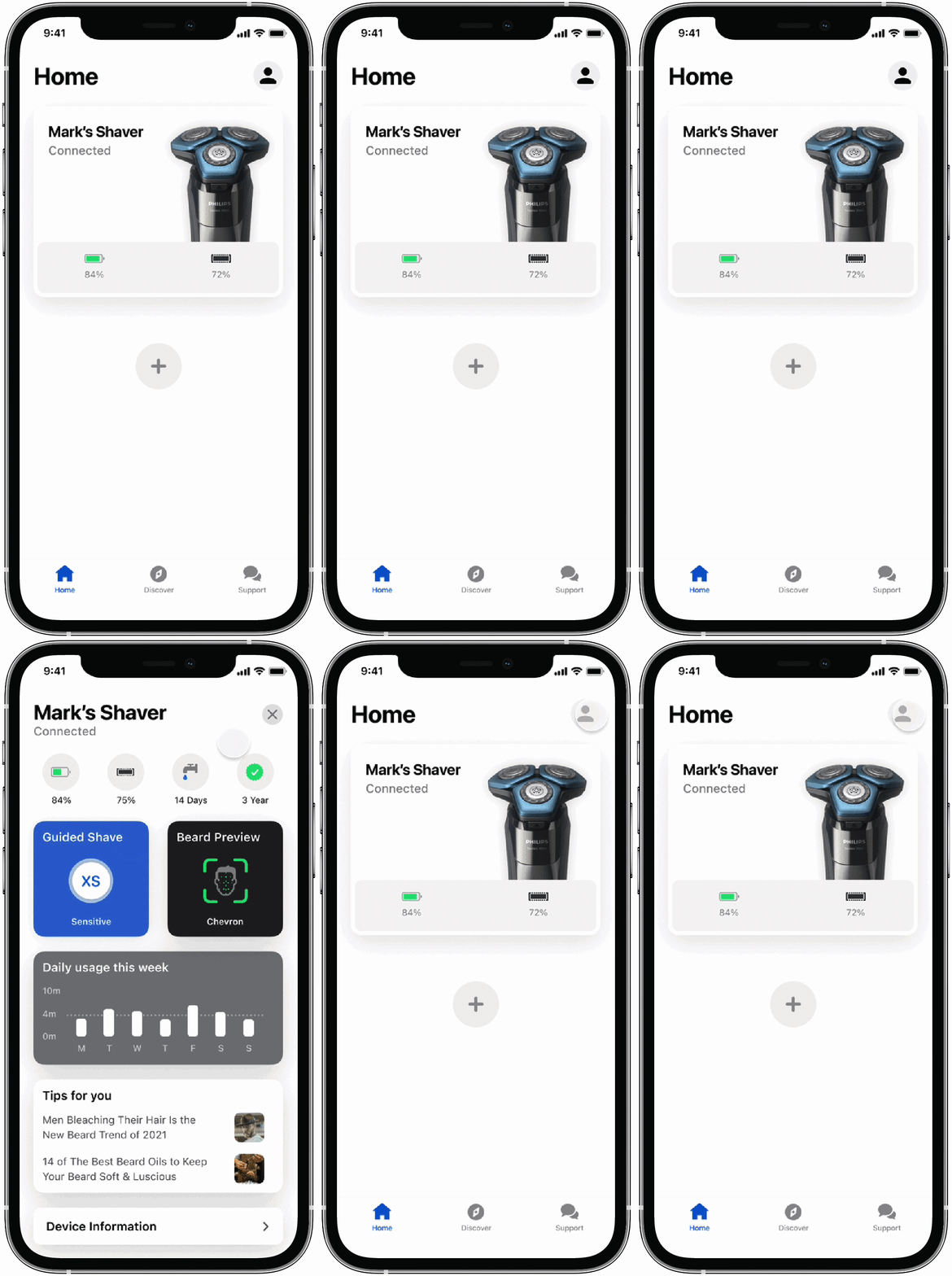
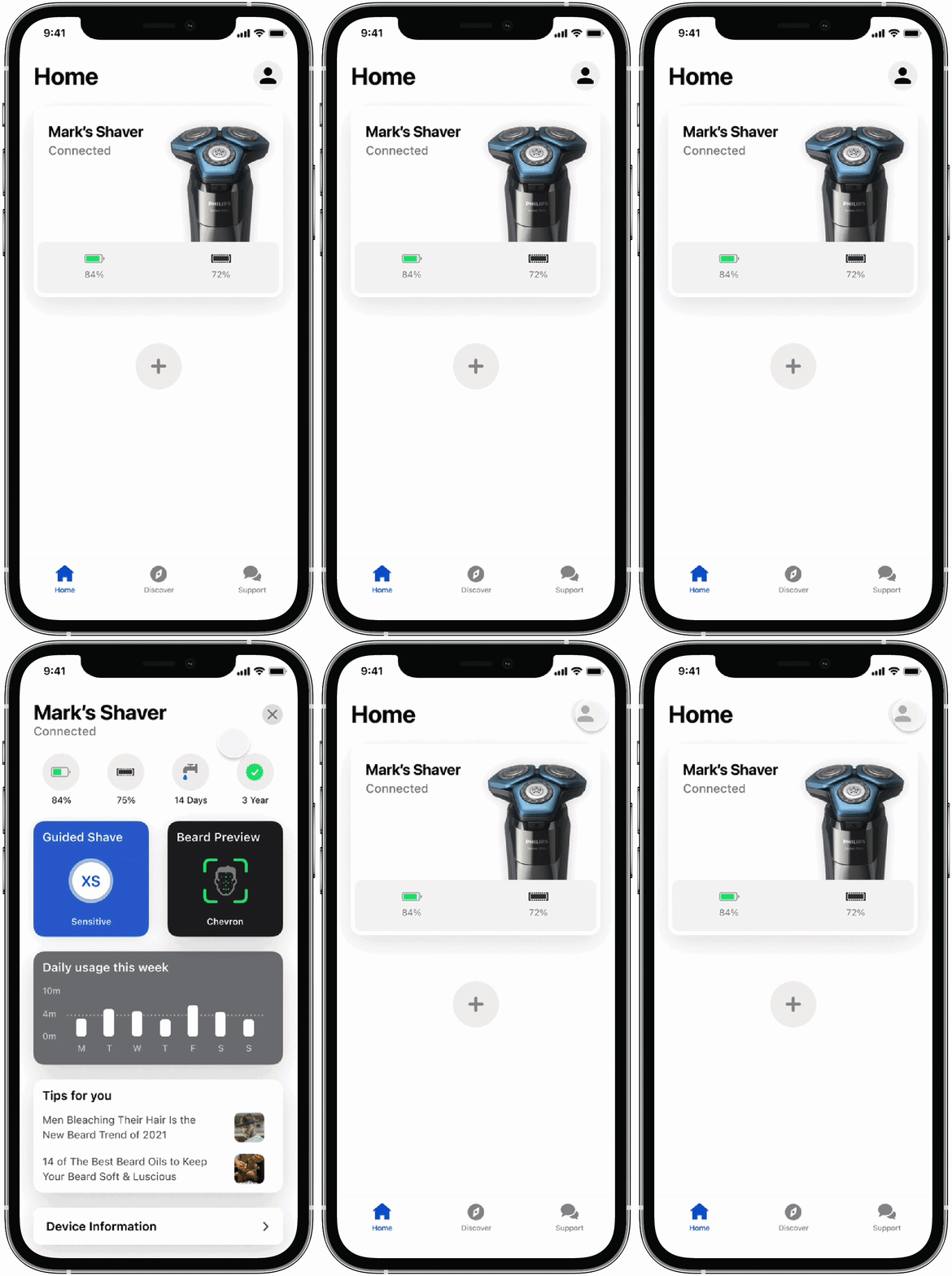
With a time-pressed lifestyle, users just want to understand the key information of their device and get things done ASAP. Defined and created card, icon and widget based UI, allowing for scalable designs of the dashboard as additional features were developed with various business propositions.


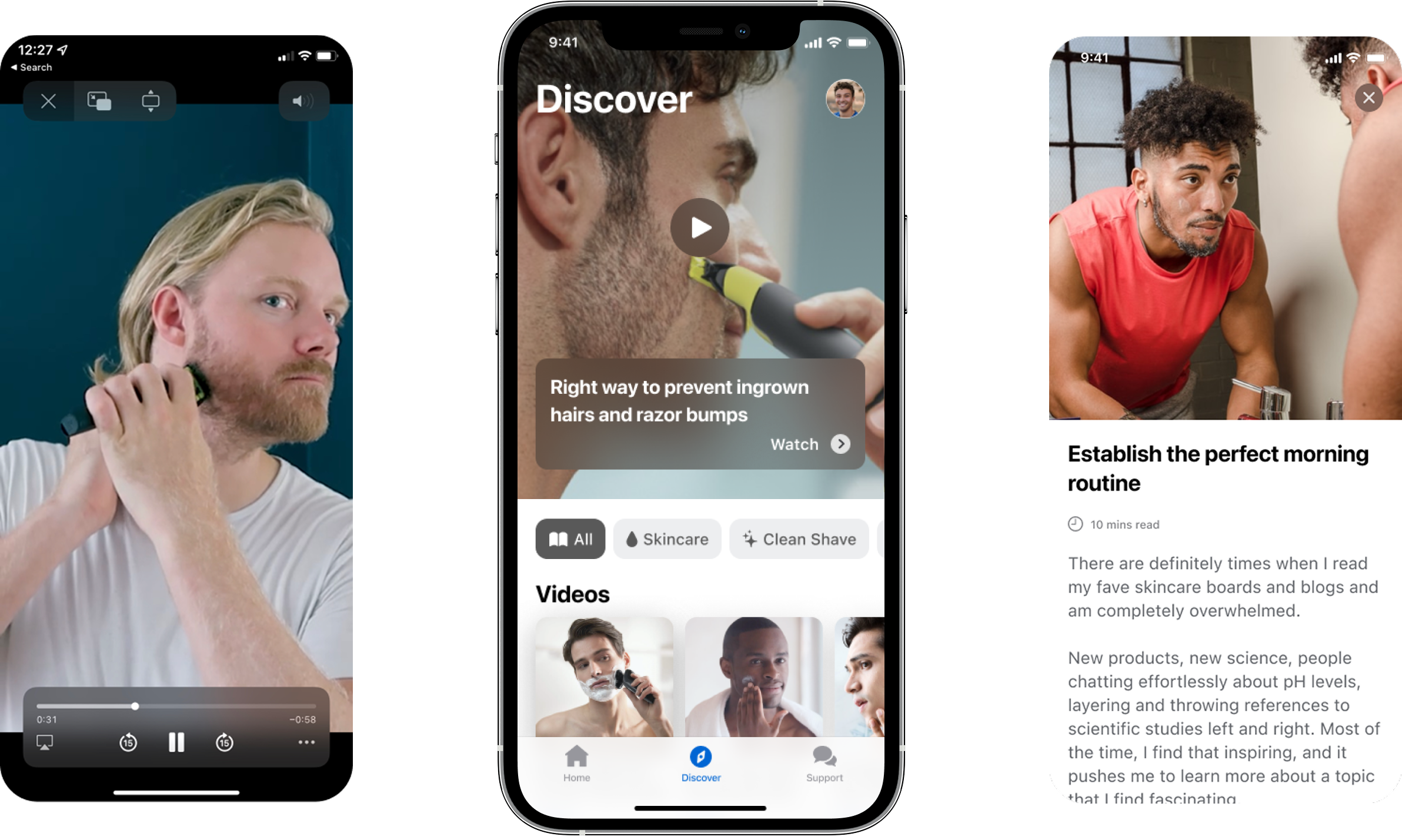
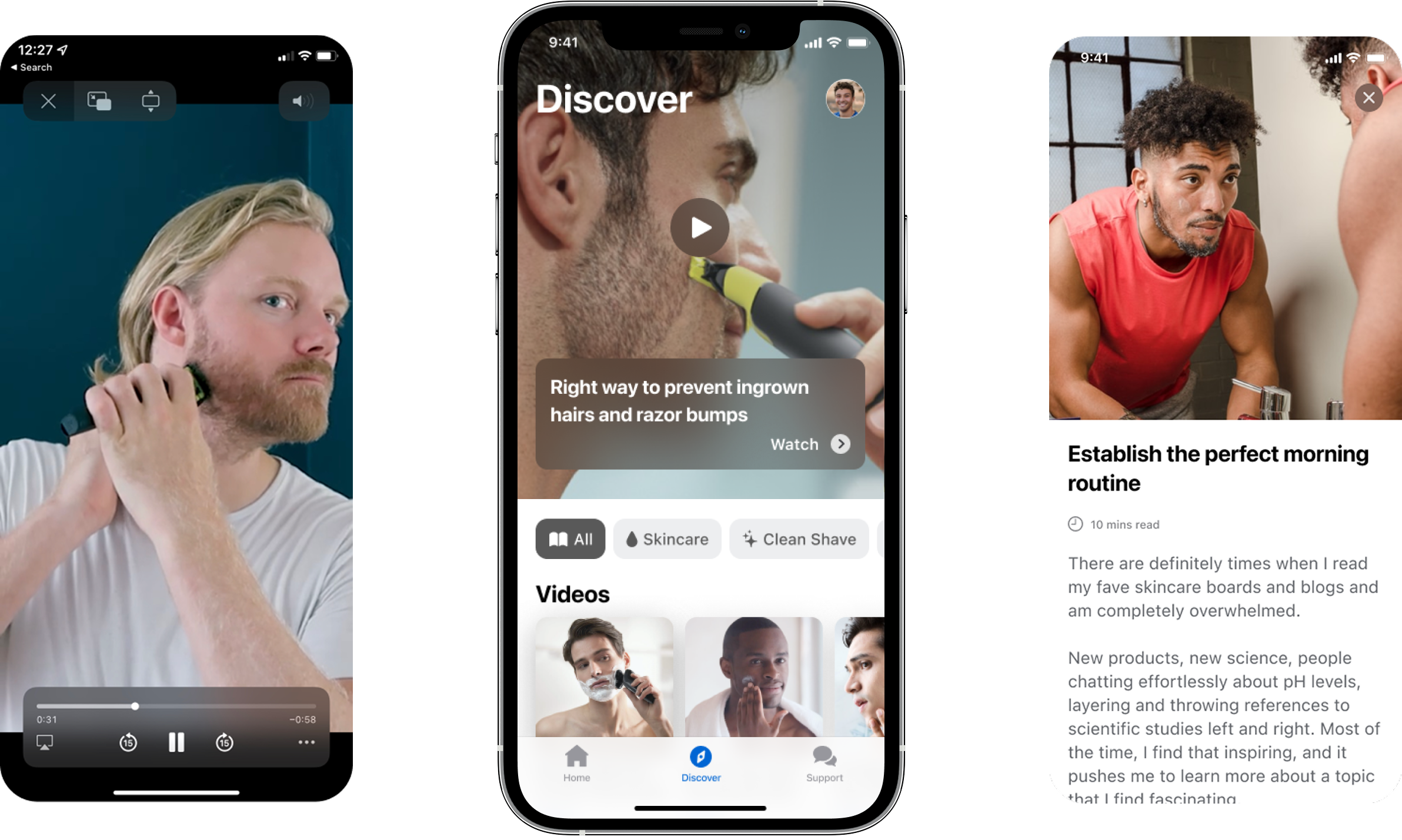
Once users have paired with their Philips device, they would be able to discover expert articles and instructional videos related to their device.
I initiated a mobile friendly approach, and worked with content team to focus on portrait style videos, as that’s the most natural way to interact with the mobile phone while using Philips devices.
Philips' user manuals are like a goldmine, but the current PDF file is not accessible for users. I’ve translated and extracted the PDF file into mobile friendly format. This transition looks to help the company to cut the cost of call centres, as users would be able to find product information in more streamlined ways.
This has influenced the organisation to start an internal project to transform all of the current/ future users manuals into mobile-friendly format.
Based on the insights from user interviews, we distilled the key elements in subscriptions, data management and product warranty.
Highlighting the key information, helped users to grasp the essential information without getting into the secondary screens.
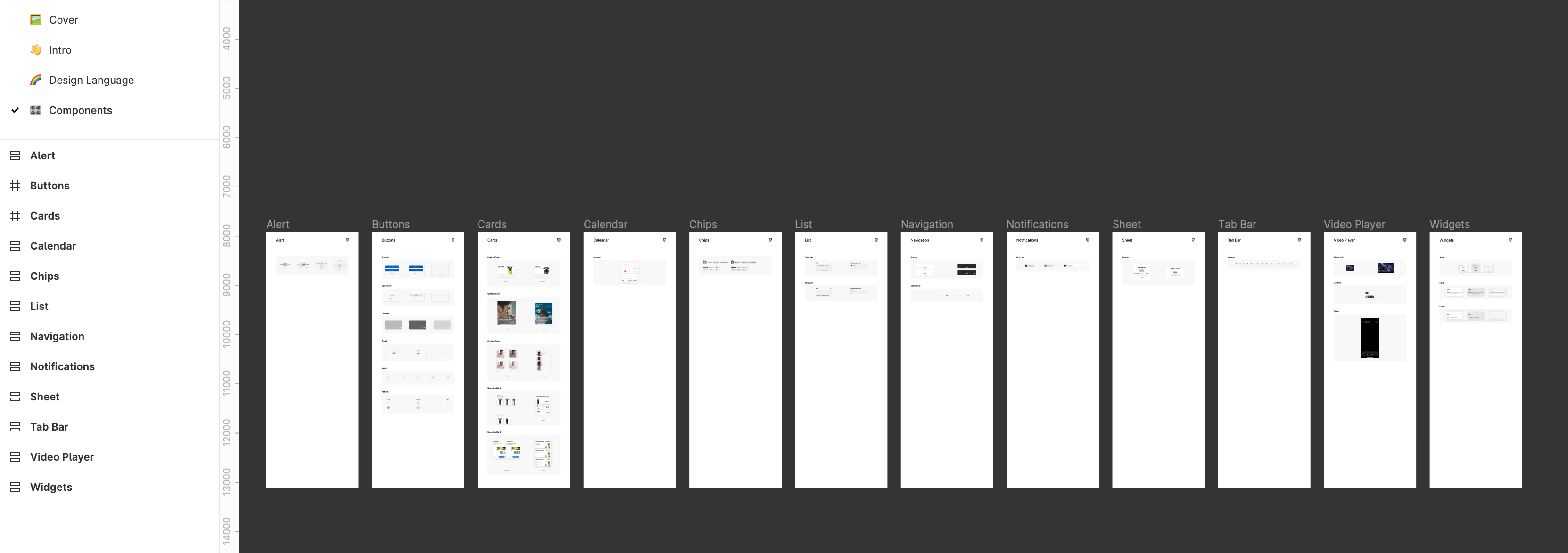
Worked with Philips design system team to create the first mobile-focussed design system in the organisation. All of the elements will be used by other business propositions to maintain cohesive designs.
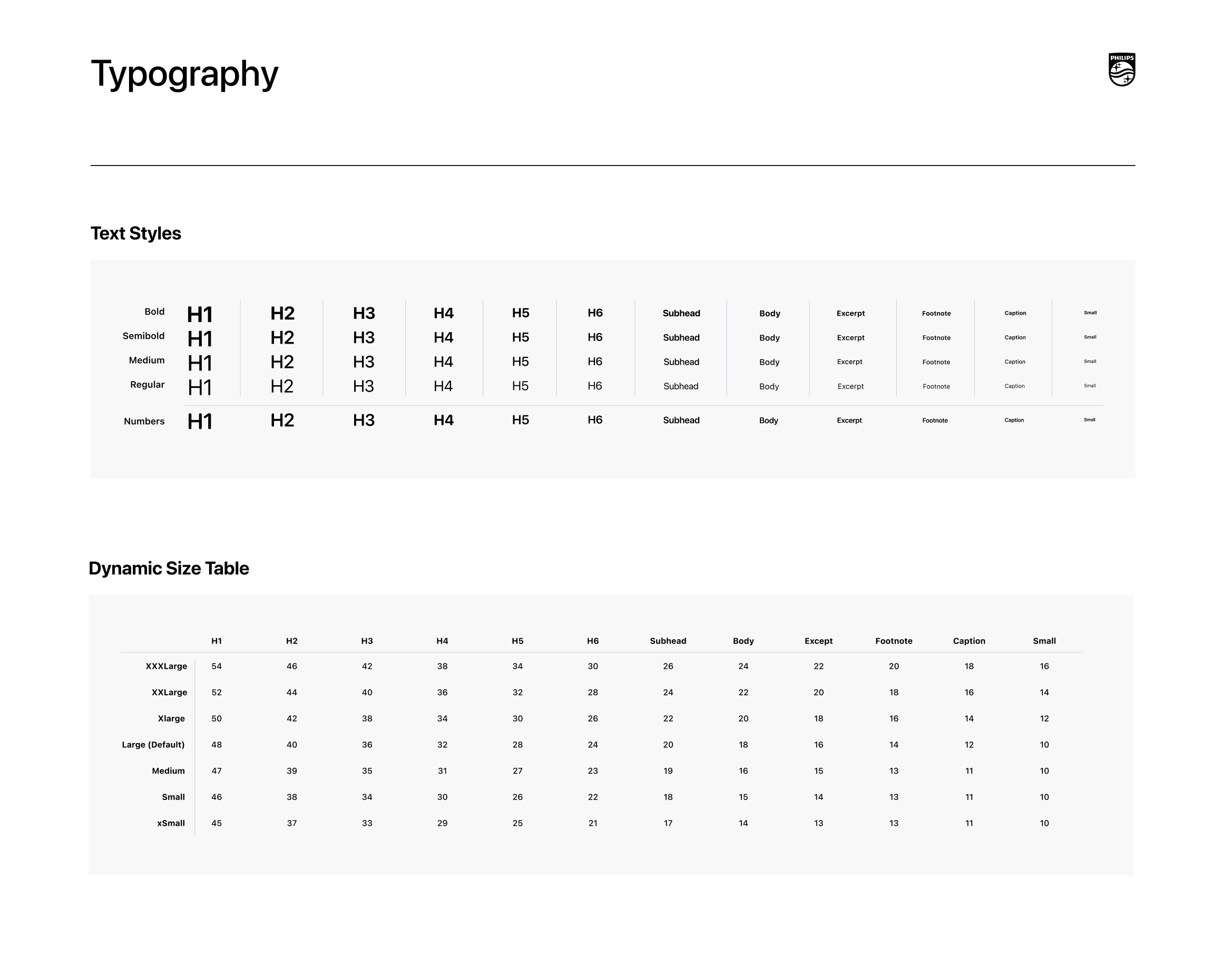
To make this app more accessible for more users, we started with implementing dynamic font size in the accessibility features. I customised the font size to align with the original Philips design system, and created a font size table to help developers implement into iOS and Android.